

Remember the days when checking your share portfolio meant visiting your broker’s office? Or when transferring money required standing in long bank queues? If you’re nodding along, you’re not alone. Thousands of Nepali citizens faced these challenges until digital banking solutions transformed everything.
Today, platforms like mero share and connect IPS have revolutionized how we manage our finances. However, many people still struggle with basic questions: How do I complete my mero share login? What exactly is connect ips login? Which banks support these services?
In this comprehensive guide, we’ll walk you through everything you need to know about digital banking in Nepal. Whether you’re banking with Global IME Bank Limited, NIC Asia Bank, or any other financial institution, this article will help you navigate the digital landscape confidently.
What is Mero Share and Why Should You Care?

Mero share is Nepal’s leading online platform for managing your share portfolio. Consequently, it eliminates the need for physical visits to your broker or DEMAT account provider.
Think of it as your personal share market assistant. Moreover, it allows you to:
- View your complete share holdings in real-time
- Apply for IPOs (Initial Public Offerings) online
- Track my activity including all transactions
- Access your portfolio 24/7 from anywhere
For instance, if you hold shares purchased through Global IME Bank Limited or NIC Asia Bank, you can monitor everything through a single dashboard. This level of convenience was unimaginable just a few years ago.
The Real Problem It Solves
Before mero share, investors faced significant challenges. Paper-based systems meant delays, lost documents, and endless frustration. Therefore, the Securities Board of Nepal (SEBON) introduced this digital solution to modernize the market.
As a result, today’s investors enjoy transparency, speed, and control over their investments.
Step-by-Step: How to Complete Your Mero Share Login
Accessing your mero share login is simpler than you think. Nevertheless, first-time users often make small mistakes that block their access. Let’s break it down clearly.
Initial Registration Requirements
Before attempting mero share login, ensure you have:
- A valid DEMAT account (from any Capital, Depository Participant, or bank)
- Your DEMAT account number
- A registered mobile number
- Your username and password (provided during account opening)
NIC Asia Bank and Global IME Bank Limited both offer DEMAT services. In addition, many other banks and financial institutions provide these facilities.
The Login Process Explained
Here’s how to access your account:
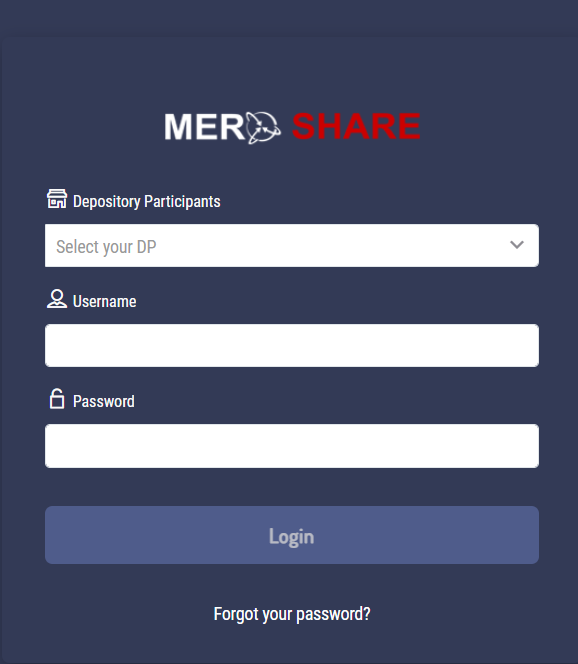
Step 1: Visit the official Mero Share website. Meanwhile, make sure you’re using the genuine URL to avoid phishing sites.
Step 2: Enter your username (usually your DEMAT number) in the designated field.
Step 3: Input your password carefully. Remember, passwords are case-sensitive.
Step 4: Complete any security verification (CAPTCHA or OTP).
Step 5: Click the login button and access your dashboard.
Once inside, you can check my activity to review all recent transactions. This feature helps you track applications, allotments, and portfolio changes efficiently.
Common Login Issues and Solutions
Even though the process seems straightforward, users encounter problems. For example:
- Forgotten Password: Use the “Forgot Password” option and follow the recovery steps
- Account Locked: Contact your DEMAT provider directly
- Username Confusion: Your DEMAT number typically serves as your username
On the other hand, if technical issues persist, reaching out to customer support resolves most problems quickly.
Understanding Connect IPS: Nepal’s Digital Payment Revolution
While mero share handles your investments, connect IPS manages your daily banking transactions. Essentially, it’s Nepal’s interbank payment system that enables instant fund transfers.
What Makes Connect IPS Special?
Traditional banking required visiting branches for every transaction. However, connect ips login changed everything by introducing:
- Real-time fund transfers between different banks
- 24/7 availability (yes, even during holidays!)
- Lower transaction fees compared to traditional methods
- Instant confirmation of payments
For instance, you can send nepali paisa from your Global IME Bank Limited account to someone banking with NIC Asia Bank within seconds. Moreover, the entire process happens online without any paperwork.
How Connect IPS Works Behind the Scenes
The system operates through a centralized switch connecting all participating banks. Consequently, when you initiate a transfer, the platform verifies your account, checks available balance, and processes the transaction immediately.
This technology has particularly transformed:
- Online shopping payments
- Utility bill settlements
- Inter-bank transfers
- Merchant payments
Mastering Your Connect IPS Login
Accessing connect ips login requires coordination between your bank and the payment platform. Nevertheless, once set up, it becomes your go-to tool for managing nepali paisa digitally.
Activation Process
Step 1: First, ensure your bank supports Connect IPS services. Both NIC Asia Bank and Global IME Bank Limited actively participate in this network.
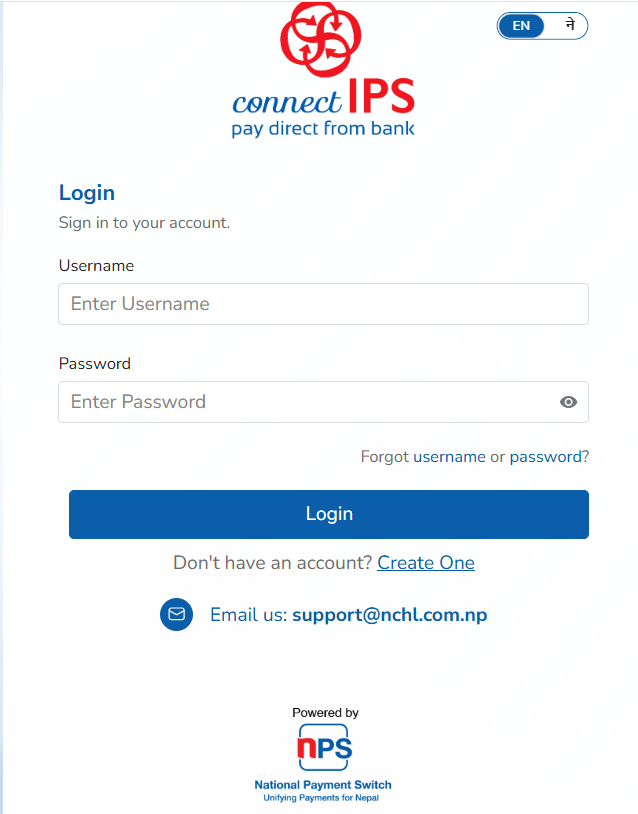
Step 2: Visit your bank’s internet banking portal or mobile app.
Step 3: Register for Connect IPS services through the digital banking menu.
Step 4: Set your transaction PIN (different from your regular banking password).
Step 5: Verify your mobile number through OTP confirmation.
After activation, you can make payments instantly. In addition, tracking my activity becomes effortless through transaction history features.
Security Best Practices
Digital banking demands vigilance. Therefore, follow these security measures:
- Never share your connect ips login credentials with anyone
- Use strong, unique passwords combining letters, numbers, and symbols
- Enable two-factor authentication whenever available
- Regularly monitor my activity for unauthorized transactions
- Log out completely after each session
Even though these platforms implement robust security, your personal responsibility matters immensely.
Banking with Global IME Bank Limited and NIC Asia Bank
Both Global IME Bank Limited and NIC Asia Bank stand among Nepal’s leading financial institutions. Meanwhile, they’ve embraced digital transformation enthusiastically.
Global IME Bank Limited: Digital Banking Pioneer
Global IME Bank Limited offers comprehensive digital services including:
- Mobile banking apps with intuitive interfaces
- Connect IPS integration for seamless payments
- DEMAT services linked with mero share
- Online account opening facilities
Moreover, their customer service responds promptly to queries about mero share login or connect ips login issues.
NIC Asia Bank: Technology-Forward Banking
Similarly, NIC Asia Bank has established itself as a technology leader. For instance, their digital platforms provide:
- Advanced internet banking features
- Integrated connect IPS payment options
- Real-time transaction alerts
- Comprehensive my activity tracking tools
Consequently, customers enjoy banking flexibility previously unimaginable in Nepal.
Tracking My Activity: Why It Matters
The my activity feature exists across both mero share and connect IPS platforms. However, many users overlook its importance.
Benefits of Regular Activity Monitoring
Financial Awareness: Tracking my activity helps you understand spending patterns and investment behavior.
Security: Quick detection of unauthorized transactions protects your nepali paisa effectively.
Record Keeping: Digital activity logs serve as proof for tax purposes and personal bookkeeping.
Dispute Resolution: Transaction histories simplify resolving payment issues with merchants or other parties.
Therefore, make checking my activity a weekly habit. Overall, this small step prevents major financial problems.
Practical Tips for Managing Nepali Paisa Digitally
Handling nepali paisa through digital platforms requires some learning. Nevertheless, these strategies help maximize benefits:
Budget Tracking
Use my activity features to categorize expenses monthly. As a result, you’ll identify spending patterns and save more effectively.
Investment Planning
Through mero share, monitor your portfolio performance regularly. For instance, set alerts for significant price movements or dividend announcements.
Payment Scheduling
Connect IPS enables scheduling recurring payments. Consequently, you never miss utility bills or loan installments.
Multi-Bank Management
If you maintain accounts at both NIC Asia Bank and Global IME Bank Limited, coordinate them through unified digital dashboards.
Troubleshooting Common Digital Banking Issues
Even experienced users face occasional challenges. Here’s how to address them:
Mero Share Login Problems
Issue: Cannot remember username or password Solution: Contact your DEMAT provider with identification documents
Issue: Transaction not reflecting in my activity Solution: Wait 24 hours for system updates; contact support if unresolved
Connect IPS Login Challenges
Issue: Transaction failed but amount debited Solution: Check my activity in both sender and receiver accounts; reversals happen automatically within 24-48 hours
Issue: Cannot link new bank account Solution: Verify that your bank supports connect IPS; update mobile number registration
The Future of Digital Banking in Nepal
Nepal’s financial sector continues evolving rapidly. Moreover, platforms like mero share and connect IPS represent just the beginning.
Upcoming developments include:
- Blockchain-based transaction systems
- Enhanced AI-powered fraud detection
- Unified digital wallets connecting multiple services
- Expanded merchant acceptance networks
Consequently, staying updated with digital banking trends protects your financial interests.
Conclusion: Embracing Digital Financial Freedom
Understanding mero share login and connect ips login empowers you to control your finances confidently. Whether you’re banking with Global IME Bank Limited, NIC Asia Bank, or elsewhere, these platforms simplify managing nepali paisa dramatically.
Remember these key takeaways:
- Mero share centralizes your investment portfolio management
- Connect IPS enables instant inter-bank transfers
- Regular my activity monitoring prevents financial surprises
- Both systems prioritize security when used responsibly
Finally, digital banking isn’t replacing traditional services—it’s enhancing them. Therefore, embrace these tools while maintaining awareness of security best practices.
Start your digital banking journey today. Your future self will thank you for taking control of your financial life.